- Google Lens
- 4.7
Advertisement
Advertisement
Description
Google Lens is a powerful visual search tool developed by Google that allows users to explore and interact with the world around them in new and innovative ways. Using the latest in artificial intelligence and machine learning technology, Google Lens can analyze and understand images captured through a smartphone camera, providing instant information and insights on a wide range of objects, text, landmarks, and more.
One of the key features of Google Lens is its ability to recognize objects in real-time and provide relevant information about them. For example, users can point their camera at a plant or animal to learn more about its species, or at a landmark to get historical facts and details about it. This makes Google Lens a valuable tool for educational purposes, helping users to discover and explore the world around them in a more interactive and engaging manner.
In addition to object recognition, Google Lens also offers text recognition capabilities, allowing users to easily extract and translate text from images. This can be particularly useful when traveling or when dealing with foreign languages, as users can simply point their camera at a sign or document to quickly understand its contents. Google Lens can also help users save information from business cards, posters, and other printed materials by extracting text and providing relevant actions such as adding contacts or visiting websites.
Furthermore, Google Lens integrates seamlessly with other Google services and apps, enhancing the overall user experience. For instance, users can use Google Lens to identify plants and flowers in Google Photos, translate text in Google Translate, or shop for products in Google Shopping. This interconnected ecosystem makes it easy for users to access and utilize Google Lens across various platforms and applications.
Another notable feature of Google Lens is its augmented reality capabilities, which allow users to overlay information and interactive elements onto the real world. For example, users can use Google Lens to see reviews and ratings of restaurants when pointing their camera at them, or to try on virtual furniture in their own living space before making a purchase. This blending of digital information with the physical environment creates a unique and immersive user experience that is both practical and entertaining.
Overall, Google Lens represents a significant advancement in visual search technology, offering users a convenient and intuitive way to interact with the world through their smartphone camera. Whether you are a student looking to learn more about the world around you, a traveler seeking assistance in a foreign country, or a consumer looking to make informed decisions, Google Lens provides a wealth of features and functionalities to enhance your daily life. With its ever-expanding capabilities and seamless integration with other Google services, Google Lens is truly a game-changer in the realm of visual search and exploration.
Screenshots
Download
Advertisement
App Information
System Compatibility
Google Lens is compatible with most modern smartphones and tablets.
Available on both iOS and Android platforms.
May not work on all devices or may have limited functionality on older versions.
Performance may vary depending on the device's camera quality and processing power.
Permission Access
Google Lens requires access to your camera, photos, and location for full functionality.
Camera access is needed to scan images and provide information.
Access to photos is necessary to analyze and provide details about images.
Location access is used for localized information and search results.
Update Content
Recent updates to Google Lens include improved image recognition and enhanced search capabilities.
Enhanced image recognition technology for more accurate results.
Improved search functionality to provide more relevant information and suggestions.
Bug fixes and performance enhancements for a smoother user experience.
FAQ
What is Google Lens?
Google Lens is an image recognition technology developed by Google that uses AI to search and provide information about objects in the real world.
How can I use Google Lens?
You can access Google Lens through the Google Photos app or download the Google Lens standalone app from the App Store or Google Play Store.
What can Google Lens do?
Google Lens can recognize objects, landmarks, texts, and even translate languages using your device's camera.
Is Google Lens free to use?
Yes, Google Lens is a free tool provided by Google for Android and iOS devices.
Can Google Lens work offline?
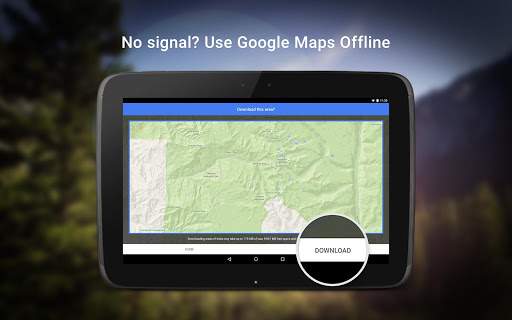
Google Lens requires an internet connection to function properly as it relies on Google's database and AI algorithms for image recognition.