- Carplay Auto Connect
- 0.0
Advertisement
Advertisement
Description
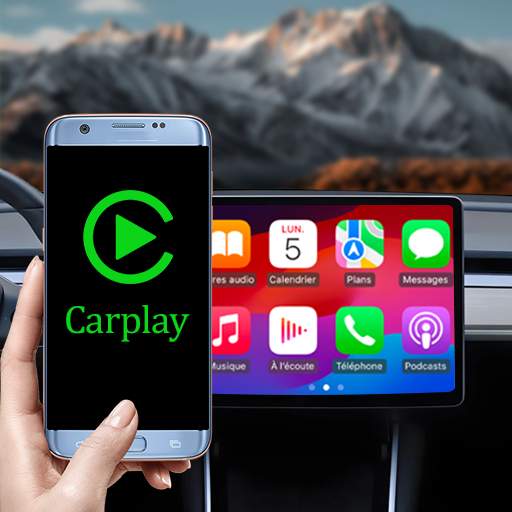
Carplay Auto Connect is a user-friendly and convenient app designed to enhance the driving experience by seamlessly connecting your iPhone to your car's infotainment system. With Carplay Auto Connect, you can easily access and control your favorite apps, music, maps, messages, and more directly from your car's display.
One of the key features of Carplay Auto Connect is its automatic connection capability, which ensures that your iPhone is always connected to your car's infotainment system as soon as you start your car. This eliminates the need for manual pairing each time you get in your car, allowing you to focus on the road ahead without any distractions.
The app supports a wide range of popular apps that are compatible with Apple CarPlay, including music streaming services, navigation apps, messaging apps, and more. You can easily navigate through your apps using the touchscreen display in your car, making it easy to access the information and entertainment you need while on the go.
Carplay Auto Connect also offers seamless integration with Siri, Apple's virtual assistant, allowing you to make hands-free calls, send messages, set reminders, and more using simple voice commands. This hands-free functionality helps you stay connected and productive while keeping your hands on the wheel and your eyes on the road.
In addition to its connectivity features, Carplay Auto Connect also offers customizable settings that allow you to personalize your driving experience. You can configure the app to automatically launch specific apps when connected, adjust display settings for optimal visibility, and customize shortcut buttons for quick access to your most-used features.
Furthermore, Carplay Auto Connect is designed with safety in mind, with a user-friendly interface that minimizes distractions while driving. The app's intuitive layout and large, easy-to-read icons make it simple to navigate through your apps and settings without taking your eyes off the road.
Whether you're commuting to work, running errands, or embarking on a road trip, Carplay Auto Connect is the perfect companion for your journey. With its seamless connectivity, hands-free functionality, and personalized settings, this app makes it easy to stay connected, entertained, and productive while on the road.
Experience the convenience and safety of a connected driving experience with Carplay Auto Connect. Download the app today and take your driving experience to the next level.
Screenshots
Download
Advertisement
App Information
System Compatibility
Carplay Auto Connect is compatible with most carplay-enabled systems. Make sure your device is running iOS 9 or later. Performance may vary depending on the version of your car's system.
Permission Access
Carplay Auto Connect requires access to your phone's location and Bluetooth settings to establish a connection with your car's system. These permissions are necessary for the app to function properly and provide a seamless experience.
Update Content
Recent updates to Carplay Auto Connect include improved stability, faster connection times, and support for new car models. Make sure to regularly update the app to take advantage of the latest improvements and features.
FAQ
How do I connect my phone to my car with Carplay Auto Connect?
Simply open the app and follow the on-screen instructions to establish a connection.
Can I use Carplay Auto Connect with any car model?
Carplay Auto Connect is compatible with most car models that support Apple Carplay.
Is Carplay Auto Connect available for Android devices?
No, Carplay Auto Connect is specifically designed for iOS devices.
Does Carplay Auto Connect require a subscription?
No, Carplay Auto Connect is a one-time purchase app with no subscription fees.
Can I customize the settings in Carplay Auto Connect?
Yes, you can customize various settings within the app to suit your preferences.